
Quick answer
Before shipping Shopify orders from China, agree a SKU map, receiving standard, order-release rules, packaging instructions and tracking handoff. Prove the workflow with test orders before increasing volume.
1. Choose the operating model before connecting a store
China-based fulfillment places inventory close to suppliers and dispatches customer orders from a receiving warehouse. It is different from sending bulk stock to an overseas warehouse, and it is different from asking each factory to ship individual orders. Choose a model around your product mix, destination markets and the delivery promise shown to customers.
Shopify supports self-fulfillment, fulfillment services and combinations of methods. The connection may involve an app or a custom service; the supported workflow depends on the provider. See the official Shopify fulfillment overview for the platform options.
For a launch discussion, bring a destination split, typical daily orders, SKU count, packed dimensions and any battery, liquid or fragile-product details. Ask the provider to confirm what it can accept and how orders will be transferred. Do not assume every sales channel or destination is already connected.
2. Build one SKU and receiving record
Give every sellable variant a unique identifier and use that identifier on the purchase order, carton label and order file. A black cap and a navy cap need separate records even when the supplier describes both as dark. Record bundles as explicit component quantities so the warehouse can reserve the correct pieces.
| Receiving field | What to confirm |
|---|---|
| SKU and barcode | Variant, unit of measure and scan-readable label |
| Expected quantity | Supplier shipment reference and carton count |
| Inspection rule | Agreed checks, photos and who approves discrepancies |
| Stock status | Separate available, reserved, damaged and held units |
A delivery receipt is not the same as saleable stock. Set a release point after counting and the agreed checks. When cartons arrive short or mixed, keep the affected quantity on hold and identify the person who can approve a correction. This prevents an inventory number from becoming an unfulfillable customer promise.
3. Write the rules for releasing and changing orders
Decide which order conditions are required before picking starts: the agreed payment status, an accepted destination address, available stock and any manual review. Define a cut-off for address changes and cancellations. A change requested after a label is created may need a separate intercept or return procedure.
- Maintain one order ID across the store, warehouse file and tracking record.
- Document how partial stock, bundles and split parcels are handled.
- Set an acknowledgement step so a submitted file is not mistaken for an accepted order.
- Assign an owner for out-of-stock, address and product exceptions.
If the initial workflow uses a spreadsheet, control its version and record which orders have already been imported. If it uses an app, test permissions, duplicate prevention and inventory updates with the actual provider. A small, reconciled process is more useful than an untested promise of full automation.
4. Test the physical parcel and the information handoff
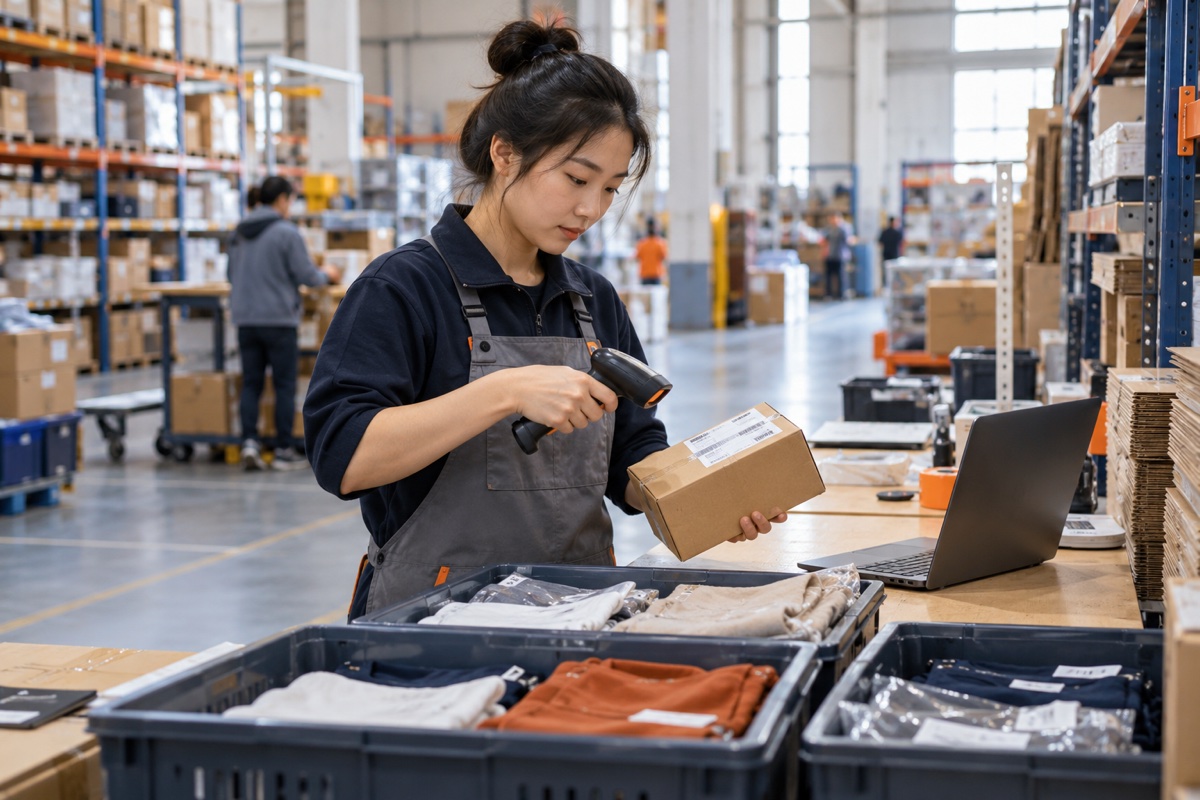
Run representative orders before launch: a single item, a multi-item basket, a bundle and a case that should be held. Check the picked variant, packaging, inserts, label, measured parcel and route. Confirm that the tracking number belongs to the right order and identify when the first carrier acceptance event should be reviewed.
Keep a launch log with the order reference, issue, owner and resolution. Separate warehouse processing time from international transit and destination delivery. These are different parts of the customer promise, so report them separately rather than treating a printed label as a delivered parcel.
After the first dispatches, compare received stock, released orders, shipped units and remaining inventory. Increase volume only when unexplained differences have been resolved. For a scoped discussion of warehouse operations, use our Shopify fulfillment service page; for the full sequence, read how the process works.
Frequently asked questions
Can I fulfill Shopify orders from a China warehouse?
Yes, when the products, destination routes, inventory workflow and order transfer method are supported and agreed with the provider. Confirm the actual operating scope before launch.
Does a fulfillment service automatically connect to my store?
No. Confirm whether the provider supports an app, a custom service or a controlled order-file workflow, and test inventory and order updates before relying on the connection.
What information should I prepare for a fulfillment proposal?
Prepare SKU and variant details, order volume, destination markets, packed dimensions and weight, packaging rules, inspection needs and the expected launch date.
Sources & further reading
Sources checked October 15, 2026. The checklists and numerical scenarios are editorial planning examples, not carrier quotations or guarantees.